A course on animated story reels
Make reels like mine by talking to Claude.
I don't animate. I describe each shot and Claude builds it. Here's the process I use for every reel, including the one that hit 2.89M views.
Same kit, different looks
Roblox stories, school crush stories, flat cartoons. Pick the look that fits your niche.
How I make one shot
Real files from the first shot of one of my reels. You describe it, Claude does the hard part.
-
1The line
[tense] A sheriff just counted your family. {r:One thousand.}
Counted your family. One thousand.
The script, with an acting note for the voice and a colour tag that turns the caption red.
-
2The voice
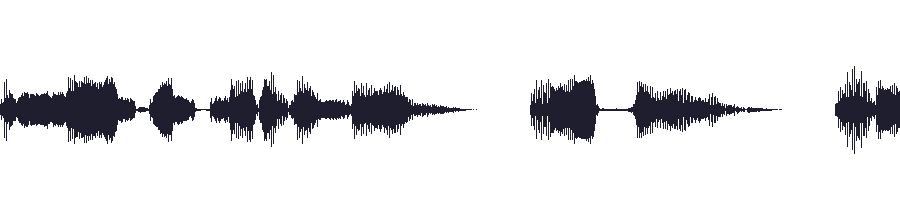
ElevenLabs voiceParakeet word timings
An AI voice reads it, and every word gets a timestamp so the captions land on time.
-
3The code
export const SHERIFF = {
  shirt: "#C9A66B",
  hair: "#5A4632",
  style: "bald" as const };
…
<Fig p={[shx, 0, shz]}
  k={KS.sheriff} t={t} ph={1}
  walk={walk} {...SHERIFF} {...sh}
  hat={SHERIFF_HAT}
  itemR={CLIPBOARD} />
Claude writes this from your description. You never have to.
-
4The shot
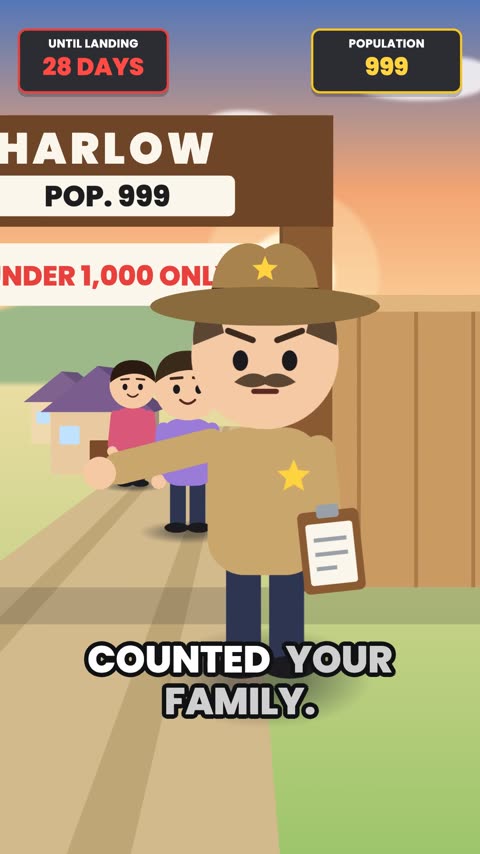
Rendered on my laptop.
Swipe for the next step
Free lesson
The 2-second hook
Most people decide in the first two seconds whether to keep watching. This is the checklist I run on every script before I make it.
- Start in the middle. No intro and no title card. The first frame and the first word are already the story.
- Say something impossible. A threat, a strange number or a rule that can't be real, in line one.
- Make it work on mute. Most people scroll with the sound off. If the voice says it, show it.
- Leave a question open. By second three, the viewer should need to know what happens next.
- Change the picture every 2 seconds. A cut, a camera move or a new caption.
Before: they scroll“So there's this town with a really strange rule.”
After: they stay“In this town, laughing gets you banned for life.”
Try it: write your first line and read it out loud. If you don't need to hear line two, rewrite it.
8 lessons, from idea to posted
- Lesson 1
Pick a format that can go viral
Break down a reel that's working and find the parts you can reuse.
- Lesson 2, free
The 2-second hook
The checklist you just read.
Read it again - Lesson 3
Script rules
The mute test, naming every character, a payoff every five seconds.
- Lesson 4
Voice
A free draft voice, then matching the voice of a reel you like.
- Lesson 5
Animate with Claude Code
Setup, the starter kit, and turning a script into scenes in Remotion.
- Lesson 6
Make it look premium
Camera moves, depth, faces that move, and checking every frame.
- Lesson 7
Sound
Music, sound effects, and loudness that works on phones.
- Lesson 8
Post and read the numbers
Covers, captions, timing, and what to change for the next reel.
Launch price
Storytelling Academy
$29then $39
after 50 buyers
One payment in USD. Yours to keep, with every update.
- 8 step-by-step lessons
- Starter kit: a working Remotion project and a Claude skill
- Hook bank and script template
- Every future update
You'll also need a paid Claude plan (US$20 a month), and Claude is for ages 18+.
Get the courseCheckout by Whop. You get it all straight away, so change-of-mind refunds end once you open it.
By buying, you agree to the Terms and the Refund Policy.
Questions
Do I need to know how to code?
No. You describe the video and Claude writes the code. You'll paste a few setup commands, and lesson 5 walks through each one.
What do I need?
A computer and a paid Claude plan (US$20 a month, and you have to be 18 or older to use Claude). The lessons are recorded on a Mac; the tools also run on Windows. A free voice option is included, and paid voices are optional.
Is this a subscription?
No. You pay once and keep it, including every update.
Will I go viral?
I can't promise that, and nobody honest can. Most reels don't take off, mine included. The course gives you the process I use to make each reel better than the last.
Will you show me how to make your series?
No. My series, my characters and my current formats stay mine. You learn the method and build a series of your own, in your own niche, so we never fight for the same viewers.
Can I post and earn from what I make?
Yes. Everything you make with the course is yours.
What if it's not for me?
Read the free lesson first: it's the real thing. If you change your mind before you open anything, email me within 7 days for a full refund. Once you've opened a lesson or downloaded a file, there are no change-of-mind refunds, because a digital course can't be given back. If something's broken or not as described, the Australian Consumer Law still protects you. The Refund Policy has the details.